Portfolio  /  Identity & Access Management

Bidirectional Enterprise Federation:
Entra ID + Okta + Salesforce + ServiceNow

Two complementary SSO architectures. Two trust models. One comparison of when each is the right choice.

Microsoft Entra ID Okta Salesforce ServiceNow SAML 2.0 SCIM 2.0 OIDC SSO User Lifecycle Identity Federation

Background

What Was Built


Enterprise identity environments rarely follow a single pattern. Some organizations run Microsoft-first, with Entra ID as the authoritative directory and Okta layered on top as a SaaS access broker. Others are Okta-first, using it as the central control plane while Microsoft exists as one of many downstream targets. Both patterns are common, both require different federation designs, and both show up in real migration, acquisition, and modernization projects.

This lab deliberately implements both. Scenario A builds the Microsoft-first architecture: Entra ID as source of truth, Okta as broker, Salesforce as the federated SP. Scenario B inverts it: Okta as the authoritative identity store, Entra ID as the identity bridge and IdP, ServiceNow as the SP. Both deliver the same end-user result, federated SSO with automated lifecycle management, through architecturally distinct chains.

Scenario A
Entra ID as source of truth, Okta as broker

Entra ID authenticates users via OIDC to Okta. Okta acts as the identity broker, handling SAML SSO and SCIM provisioning to Salesforce. Three-layer chain, Microsoft-first posture.

Scenario B
Okta as source of truth, Entra as identity bridge

Okta owns the user lifecycle and provisions accounts into Entra ID via SCIM. Entra then handles SAML SSO and SCIM provisioning to ServiceNow directly. Okta is not involved in the downstream leg at all.

Scenario A

Entra ID as Source of Truth


Entra ID is the authoritative identity store. Okta sits in the middle as a broker, receiving authenticated identities from Entra via OIDC and federating them downstream to Salesforce via SAML. Okta also handles SCIM provisioning to Salesforce, so the full user lifecycle flows through Okta's provisioning engine. This is the Microsoft-first pattern: Entra enforces the access gate and Conditional Access policies, Okta adds SaaS brokering capability on top.

Microsoft Entra ID Source of truth / IdP (P2) OIDC Okta Identity broker + provisioning agent SAML SSO SCIM Salesforce Service Provider (SP) Create in Entra → JIT in Okta → Okta SCIM provisions Salesforce

Scenario A: Entra as IdP, Okta as broker, Salesforce as SP
Step 1
User hits Okta login
User enters their Microsoft UPN at the Okta org URL. A routing rule matches the domain and redirects to Entra via OIDC authorization code flow.
Step 2
Entra enforces the access gate
Entra checks group membership on the Enterprise Application. Users outside the scoped group are blocked before any token is issued. Conditional Access policies fire here.
Step 3
Entra issues OIDC token
On successful auth, Entra returns an ID token to Okta's callback with email, given_name, and family_name claims. These must be explicitly added as optional claims on the App Registration; Entra omits them by default.
Step 4
Okta provisions the Salesforce account
Okta's SCIM provisioning (via OAuth) creates the Salesforce account automatically when the user is assigned to the Salesforce app group. Deprovisioning is also wired up: removing the user from the group deactivates the Salesforce account. On first login, Okta JIT-links the Universal Directory profile to the provisioned account.
Step 5
Okta issues SAML assertion to Salesforce
Okta acts as the outbound SAML IdP, issuing a signed assertion to Salesforce. Salesforce validates the signature, matches the assertion to the provisioned account using the username field, and creates an authenticated session.
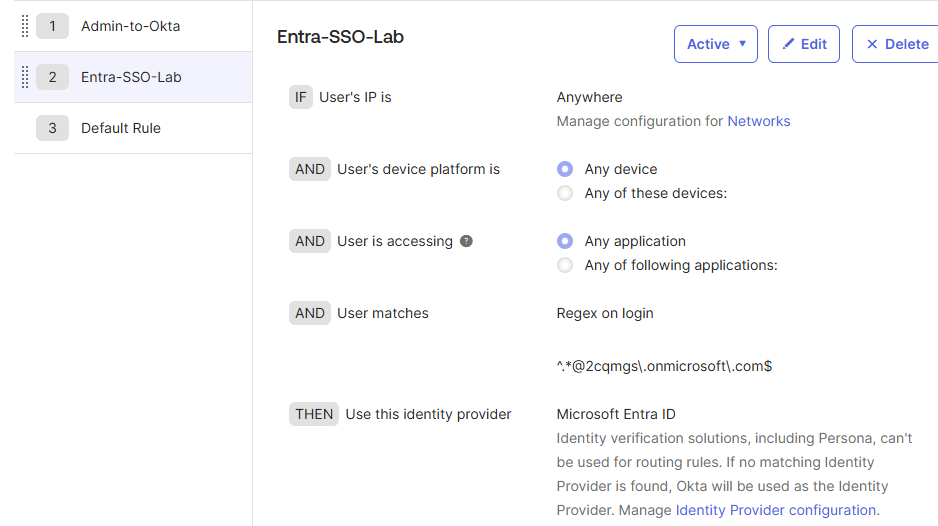
Okta routing rules — admin bypass at position 1, domain redirect below

Okta routing rules — admin bypass pinned to position 1, domain redirect rule below. Prevents lockout before federation is live.
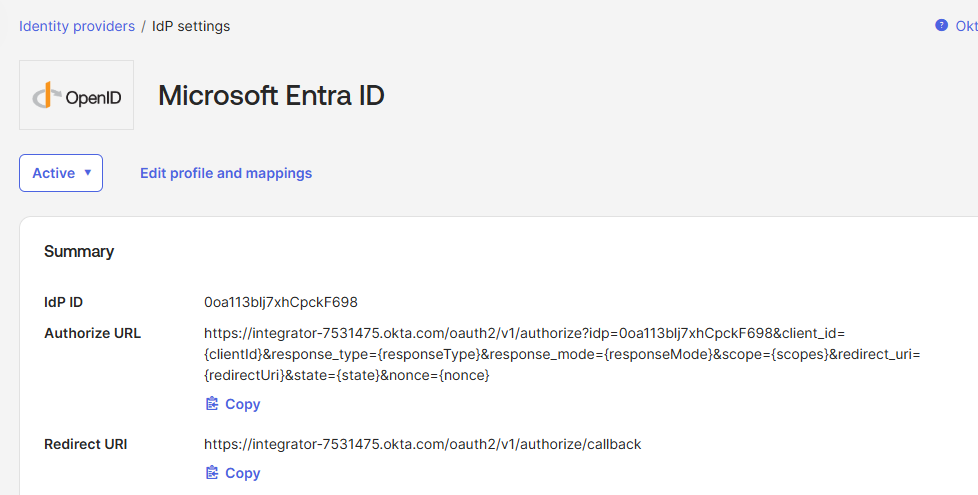
Okta Identity Providers — Entra ID listed as Active OIDC IdP

Okta Identity Providers showing Microsoft Entra ID as Active with OIDC / JIT provisioning configured.
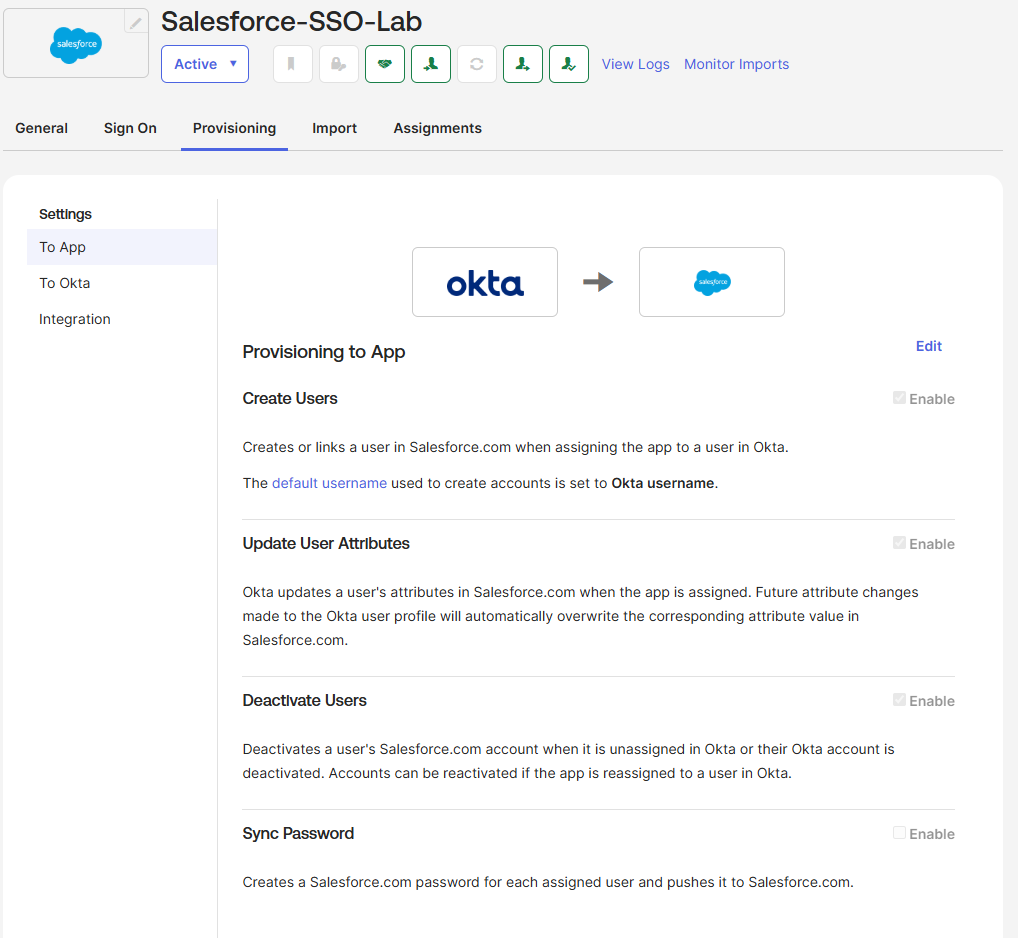
Okta Salesforce app — SCIM provisioning via OAuth configured and active

Okta → Salesforce provisioning tab showing OAuth-based SCIM configured with Create, Update, and Deactivate enabled.
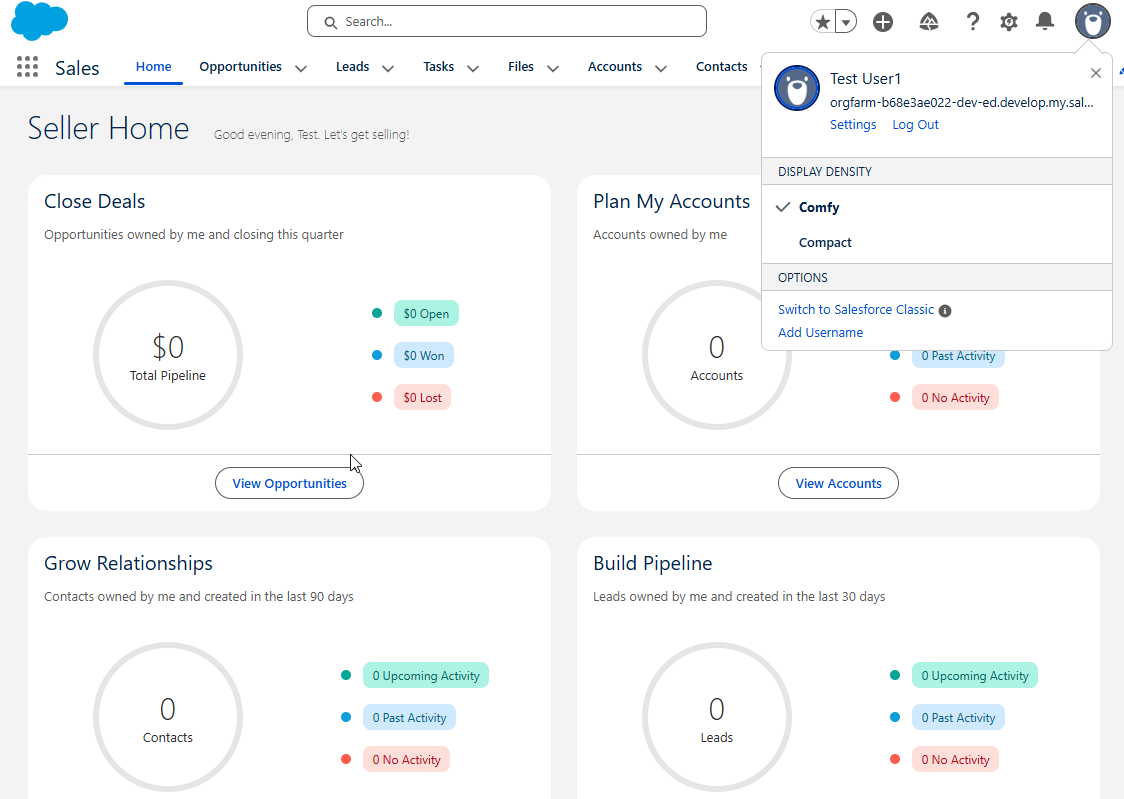
Salesforce session showing successful SSO login via Okta

Salesforce login session confirming end-to-end federated SSO through the Entra → Okta → Salesforce chain.
Scenario B

Okta as Source of Truth


Okta is the authoritative identity store. It provisions users into Entra ID via SCIM, giving them a Microsoft account so M365 services work natively. Entra then acts as the identity bridge for downstream apps, handling SAML SSO and SCIM provisioning to ServiceNow directly. Okta is not involved in the Entra-to-ServiceNow leg at all. One deactivation in Okta cascades through Entra and into ServiceNow automatically.

Okta Source of truth / master identity store SCIM provisioning Microsoft Entra ID Identity bridge + IdP for downstream apps SAML SSO SCIM ServiceNow Service Provider (SP) Deactivate in Okta → deprovisioned in Entra → deprovisioned in ServiceNow Okta is not involved in auth or provisioning to ServiceNow

Scenario B: Okta owns lifecycle, Entra is the bridge and IdP for ServiceNow

Step 1
User created in Okta
A new user is created in Okta. It is the record of truth. The account does not yet exist anywhere else.
Step 2
Okta SCIM provisions Entra
Okta pushes the user into Entra ID via SCIM. The Entra account is created with attributes mapped from the Okta profile. The user now has access to M365 apps natively.
Step 3
Entra SCIM provisions ServiceNow
Entra's own provisioning engine detects the in-scope user and issues a SCIM POST to ServiceNow's API. The ServiceNow account is created with attributes mapped from Entra, configured independently from the Okta-to-Entra mapping.
Step 4
User authenticates via SAML
User initiates ServiceNow login. ServiceNow redirects to Entra as the configured SAML IdP. Entra authenticates the user and issues a SAML assertion. ServiceNow matches the NameID to the provisioned userName and creates a session.
Step 5
Deprovisioning cascades automatically
Removing the user in Okta triggers SCIM deactivation in Entra. Entra's SCIM cycle then deactivates the ServiceNow account. One action in Okta removes access to M365 and ServiceNow without any additional steps.
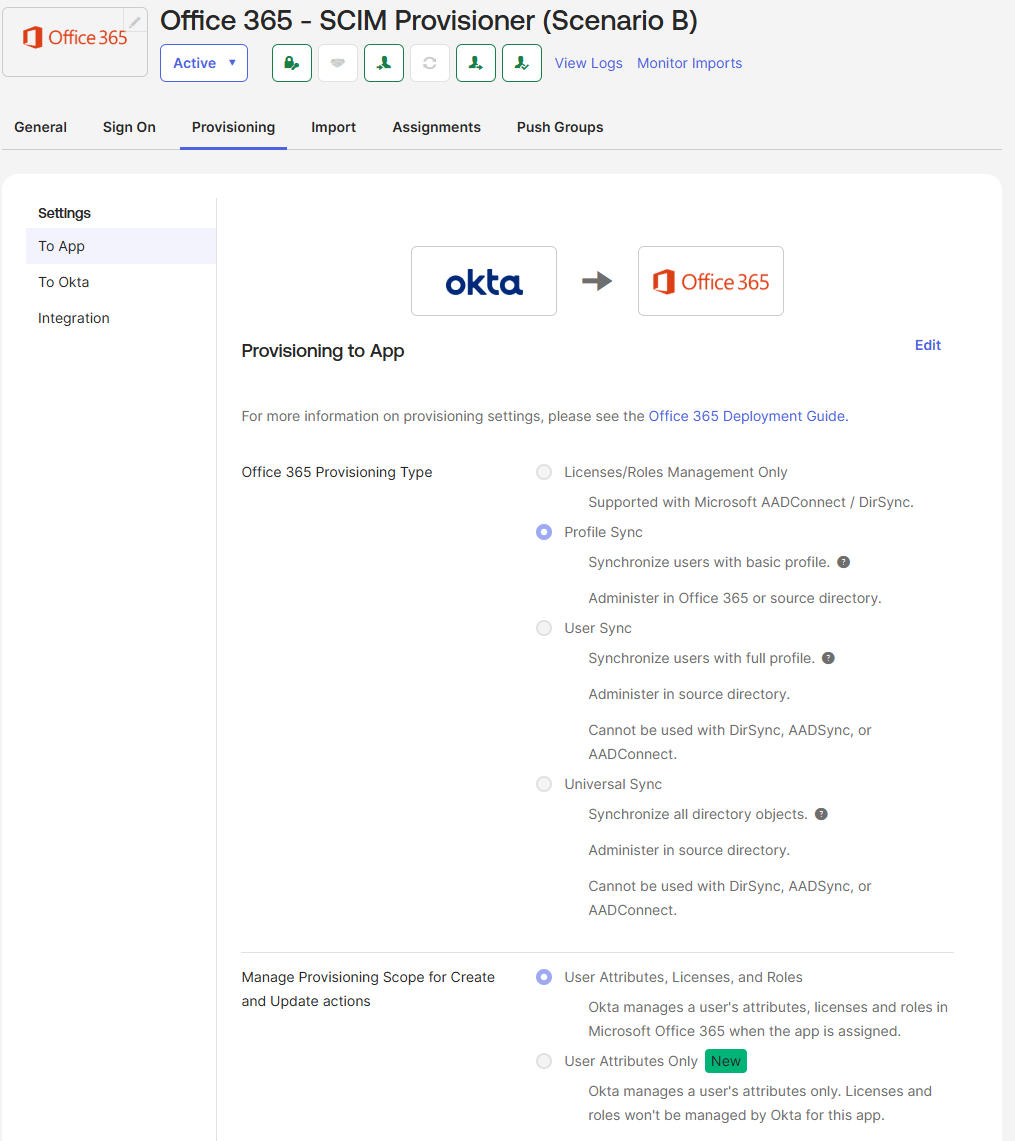
Okta provisioning logs showing successful SCIM Create into Entra ID

Okta provisioning logs showing a successful SCIM Create event into Entra ID, confirming the Okta-to-Entra lifecycle leg.

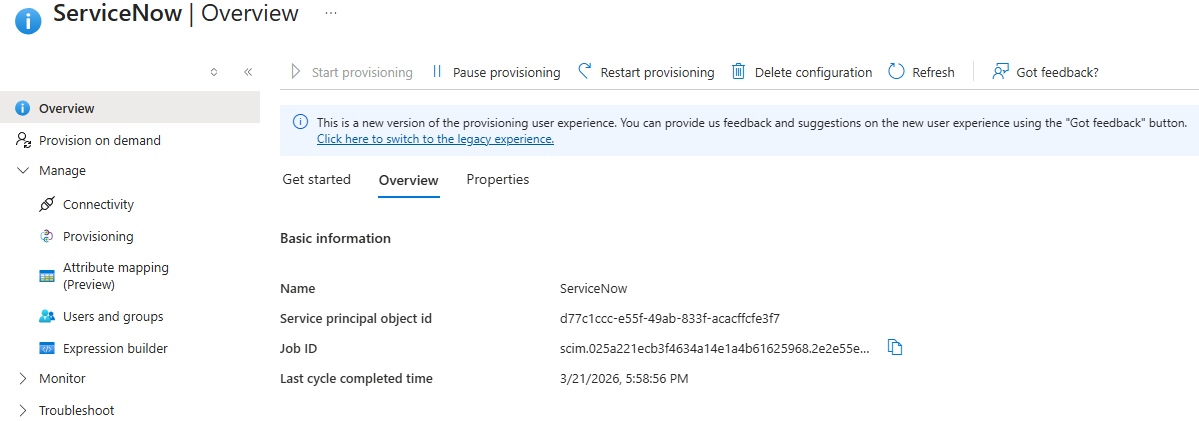
Entra provisioning to ServiceNow — SCIM provisioning active

Entra → ServiceNow enterprise app Provisioning tab showing SCIM active with attribute mappings configured independently from Okta.

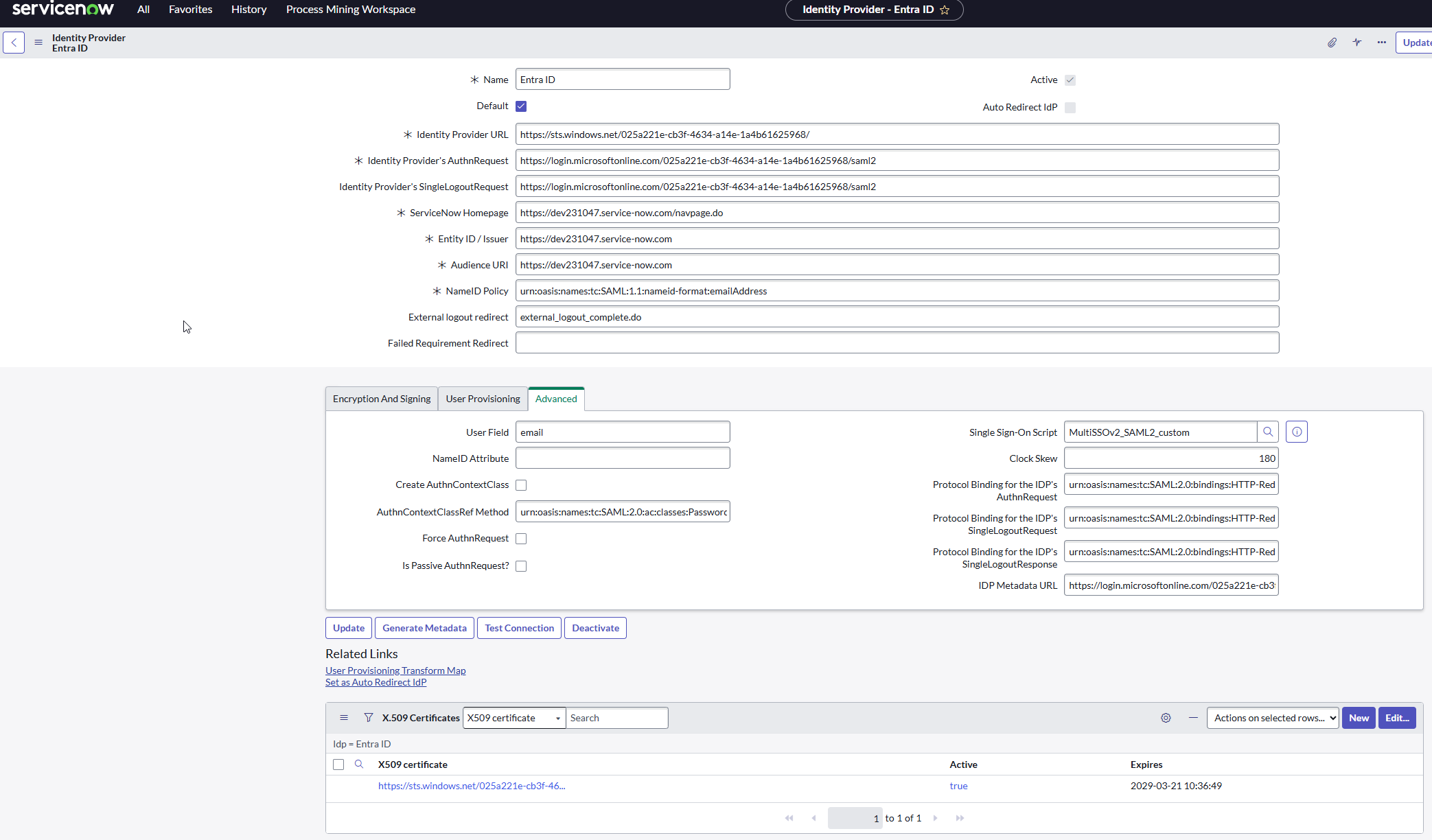
ServiceNow SSO IdP record with Active toggle on

ServiceNow SSO IdP record configured with Entra as the SAML identity provider, Active toggle on and test connection passing.

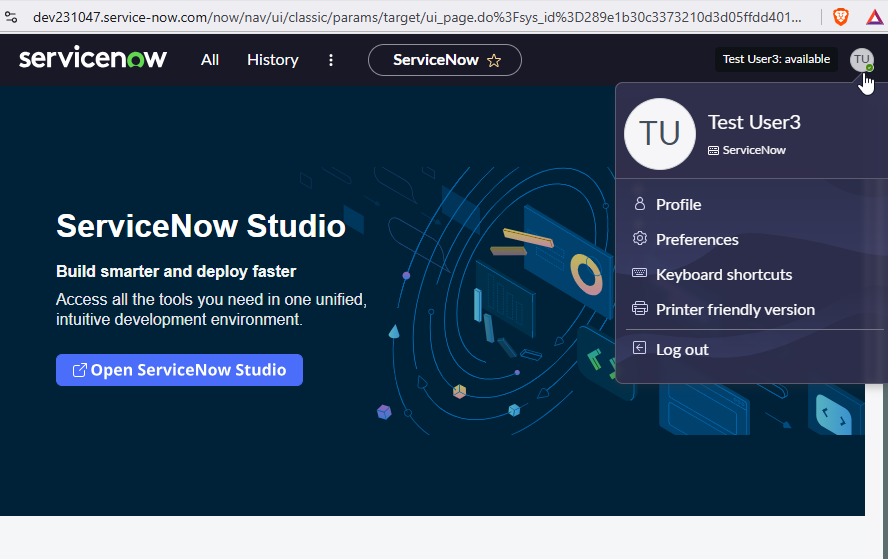
ServiceNow session showing successful login via Microsoft Entra SSO

ServiceNow session confirming federated SSO via the Okta → Entra → ServiceNow chain with the user profile visible.

Architecture Comparison

Side by Side


Both architectures deliver federated SSO and automated provisioning. The meaningful differences are in where authority lives, how many hops authentication makes, and what breaks if any one component goes down.

Scenario A — Entra as IdP Scenario B — Okta as IdP
User record lives in Microsoft Entra ID Okta Universal Directory
Auth chain 3 hops: Entra → Okta → Salesforce 2 hops: Entra → ServiceNow (Okta not in auth path)
Provisioning chain Okta SCIM → Salesforce Okta SCIM → Entra, then Entra SCIM → ServiceNow
Okta's role Broker: handles auth AND provisioning to SP Source: owns lifecycle, not involved in auth to SP
M365 access Native (Entra is already the IdP) Via Entra accounts provisioned by Okta via SCIM
Protocols used OIDC (Entra to Okta), SAML + SCIM (Okta to Salesforce) SCIM (Okta to Entra), SAML + SCIM (Entra to ServiceNow)
If Okta goes down Auth and provisioning to Salesforce both break Provisioning to Entra pauses; SSO to ServiceNow still works
Conditional Access Enforced at Entra before Okta sees the user Enforced at Entra before ServiceNow sees the user

Business Context

When to Use Each Architecture


The right architecture is not a universal answer. It depends on where the organization's identity record already lives, what tooling is in place, and how the IT team wants to own the provisioning surface going forward.

Scenario A: reach for this when
  • Microsoft is already the primary identity platform (M365, Azure, Intune in use)
  • The HR system syncs into Active Directory or Entra ID
  • Okta is being adopted for SaaS SSO brokering, not as a standalone IdP
  • Entra Conditional Access needs to fire before any downstream app is reached
  • Multiple SaaS apps need federation and Okta is the centralized broker for all of them
Scenario B: reach for this when
  • Okta is already the enterprise IdP and identity posture is built around it
  • The org uses a mix of Microsoft and non-Microsoft platforms and needs one system governing lifecycle across all of them
  • An M&A event brought in a new Microsoft tenant that Okta needs to provision into
  • A downstream app integrates more cleanly with Microsoft's native SAML/SCIM than with Okta's connector
  • One deprovisioning action in Okta needs to cascade to both M365 and all downstream apps

The key distinction: Scenario A makes Entra the authority and Okta a capability layer on top of it. Scenario B inverts that, making Okta the control plane and Entra a provisioning target that also acts as an IdP. Both are legitimate production patterns. The question is which direction the organization's identity posture is already pointing.

Engineering Details

Decisions Worth Noting


Several non-obvious configuration details surfaced across both scenarios that are worth documenting for future implementations:

Optional Claims
Entra omits given_name and family_name from OIDC tokens by default

In Scenario A, Okta requires both fields to JIT-provision a new user. Entra omits them from the ID token unless explicitly added as optional claims on the App Registration. The resulting JIT failure produces a non-obvious error that requires tracing through Okta system logs to identify the missing claim as the cause.

Admin Bypass Rule
Set up a routing rule bypass before federation goes live

In Scenario A, before activating the Okta routing rule that redirects a domain to Entra, a bypass rule for the admin UPN must sit at position 1. Okta evaluates rules top-down and stops at the first match. Without a bypass, the admin account can get caught by the federation rule, which may produce a lockout if the IdP connection has issues during testing.

userName Alignment
SCIM userName and SAML NameID must derive from the same source attribute

In Scenario B, ServiceNow matches the NameID in the SAML assertion to the userName field set during SCIM provisioning. If those two values come from different source attributes in Entra, the account exists but SSO silently fails with a user-not-found result. Mapping both from userPrincipalName in Entra ensures they stay aligned for the lifetime of the account, including after email address changes.

ServiceNow Plugin
SCIM requires the User Provisioning plugin to be Active, not just Installed

ServiceNow PDIs have the SCIM plugin installed but not always active. Entra provisioning will fail silently or return auth errors if the plugin is only in Installed state. Additionally, the glide.authenticate.multisso.test.connection.mandatory system property must be set to false to allow the SSO IdP record to be activated without a passing test connection.

Takeaways

What This Demonstrates


Most federation implementations show one direction. Showing both, with a clear explanation of when each is the right choice, reflects the kind of thinking that comes from working in real environments with competing constraints rather than following a single guide.

Vendor-agnostic federation design

Ability to position Entra or Okta as the authoritative IdP depending on the org's existing posture, without being locked into one vendor's preferred architecture.

Cross-platform attribute mapping

Managing how identity attributes flow and transform across OIDC tokens, SCIM schemas, and SAML assertions across four different platforms simultaneously.

Full lifecycle management

SSO is one piece. Provisioning and deprovisioning are where real lifecycle management happens. Both scenarios cover the full chain including cascading deactivation.

Cross-platform diagnostics

Troubleshooting failures that span multiple platforms requires knowing which system owns what and how to trace an authentication or provisioning event end to end without obvious error messages.

My Role

Engineering Approach


I designed and built both architectures end to end in a self-directed lab environment. The goal was to build working implementations of two distinct patterns, understand the tradeoffs at an engineering level, and be able to articulate when each is the right choice in a real business context.

Scenario A involved designing the three-layer topology, working through the OIDC app registration and Enterprise Application configuration in Entra, configuring the inbound identity provider and routing rules in Okta, and connecting Salesforce as the downstream SAML SP with SCIM provisioning from Okta. Scenario B extended the lab by reversing the authority model: adding Okta as the upstream SCIM provisioner into Entra, then building the Entra-to-ServiceNow SAML and SCIM integration as the downstream leg.

The troubleshooting process across both scenarios was as instructive as the configuration itself. The JIT provisioning failure in Scenario A required tracing through Okta system logs and cross-referencing the token output from Entra against Okta's provisioning requirements. The userName/NameID mismatch in Scenario B required understanding how ServiceNow resolves identity across two separate integration channels. Both are the kind of cross-platform diagnostic problems that surface in production and do not have obvious answers from the error messages alone.
Tools & Technologies
Microsoft Entra ID P2 Okta Identity Engine Salesforce Developer Edition ServiceNow PDI SCIM 2.0 SAML 2.0 OIDC / OAuth 2.0 JIT Provisioning Automated Lifecycle Management Attribute Mapping Identity Federation Architecture Design Access Control Design